Motion design software changes every year: new tools appear, old ones gain 3D and AI features, and some suddenly become free. It’s easy for a beginner to get lost in this zoo.
After Effects or something newer? Cinema 4D or Blender? And why all these scripts?
I’ve been in motion design for 18 years and watched tools come and go. So here’s the stack you actually need in 2026, and the order I’d learn it in today.
1. The design base: where every frame starts
Great animation almost always starts with a great still frame. So step one isn’t animation, it’s the tools where you build the look and prepare your assets.
- Figma: styleframes, UI and page layouts, and now its own animation too — more on that below.
- Illustrator: vectors, logos and icons that later come alive in After Effects as shape layers.
- Photoshop: textures, retouching and layered files prepared for animation.
2. After Effects — the heart of 2D motion
It’s still the core tool of the profession: ads, infographics, logo animation, UI animation and Lottie for websites and apps. A good After Effects animator is always in demand.
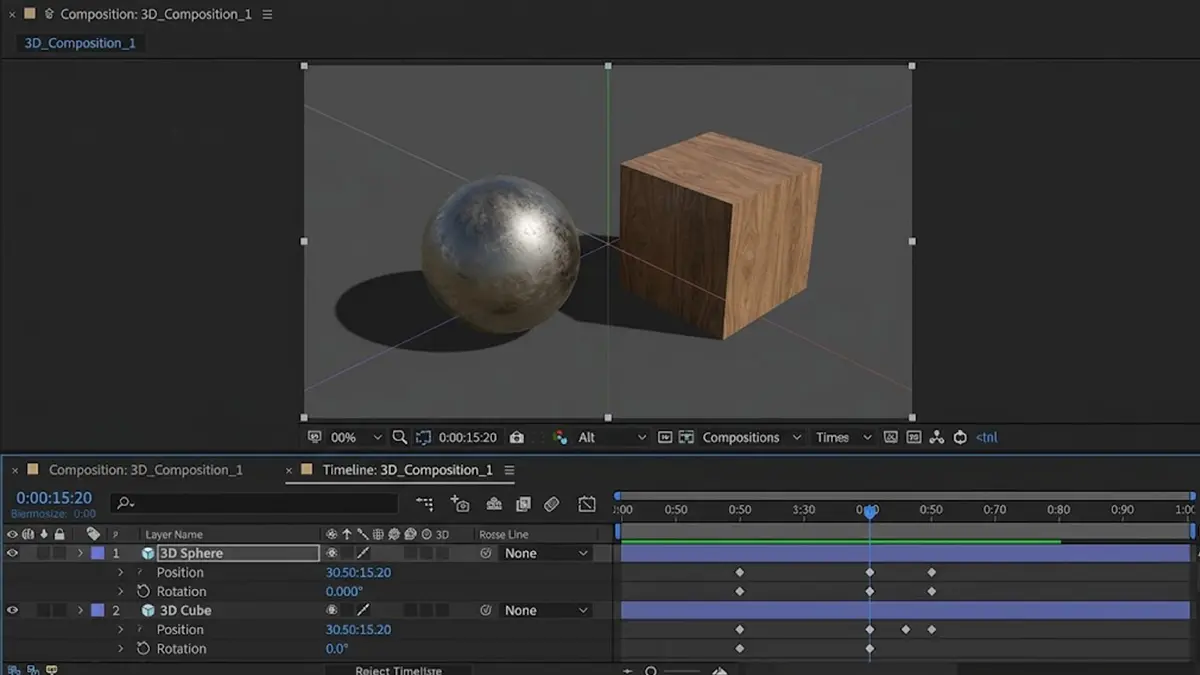
Native 3D shapes and materials now live right inside After Effects
The latest version grew a lot: native 3D shapes (sphere, cube, cone) with Substance materials, variable font animation, SVG import, built-in audio effects and an AI assistant in beta. Simple 3D no longer requires leaving AE.
3. Scripts and plugins that save hours
What often separates a pro from a beginner isn’t talent but speed. Scripts remove the routine and leave more time for the creative part. Here’s what’s really worth having:
- Overlord: sends layers from Illustrator to After Effects in one click, no manual import.
- Duik: free character rigging, the standard for 2D character animation.
- Deep Glow: beautiful, physically based glow for neon and light effects.
- Trapcode Particular: particles, smoke, sparks and abstract backgrounds.
- Bodymovin / LottieFiles: export animation to Lottie for websites and apps.
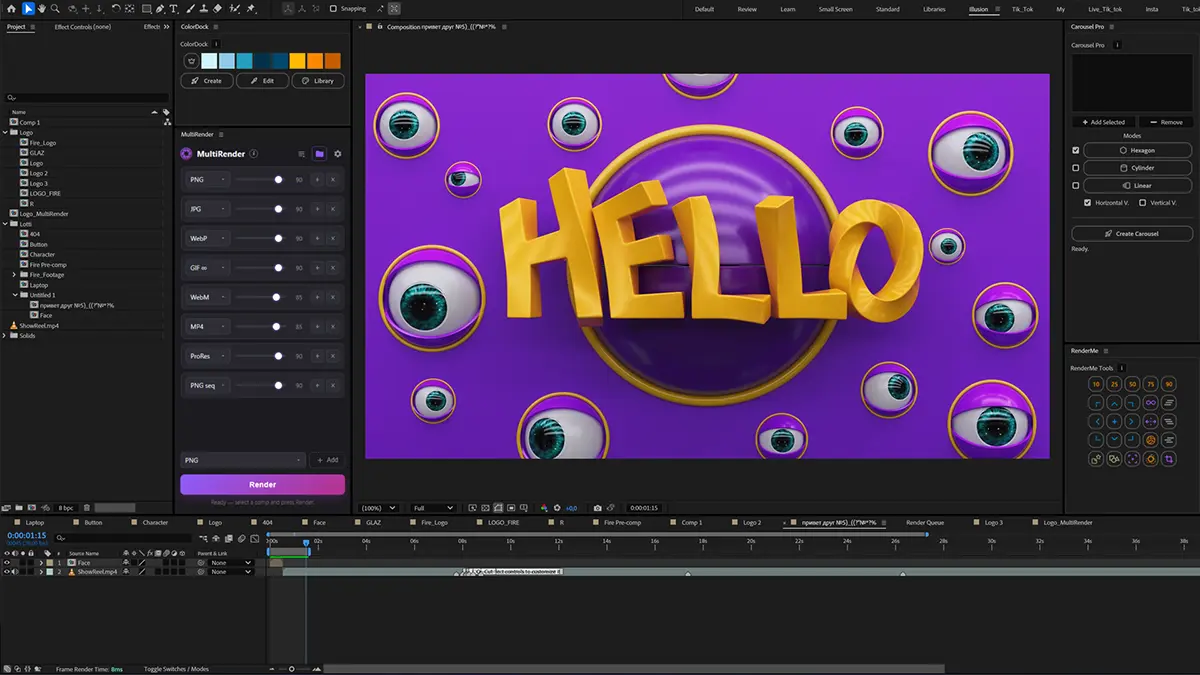
For daily work I built my own tools that I use on every project. RenderMe Tools puts 25 everyday operations (easing, loop, bounce, wiggle, precompose) into one panel. ColorDock keeps the brand palette at hand and recolors shapes and text in one click. And Carousel Pro builds animated 3D carousels in two clicks. MultiRender simultaneously renders a composition in multiple formats.
Tip:
Don’t collect plugins for the sake of it. Buy a tool once you’ve done the same routine by hand three times and know exactly how much time it will save.
4. 3D: Cinema 4D or Blender
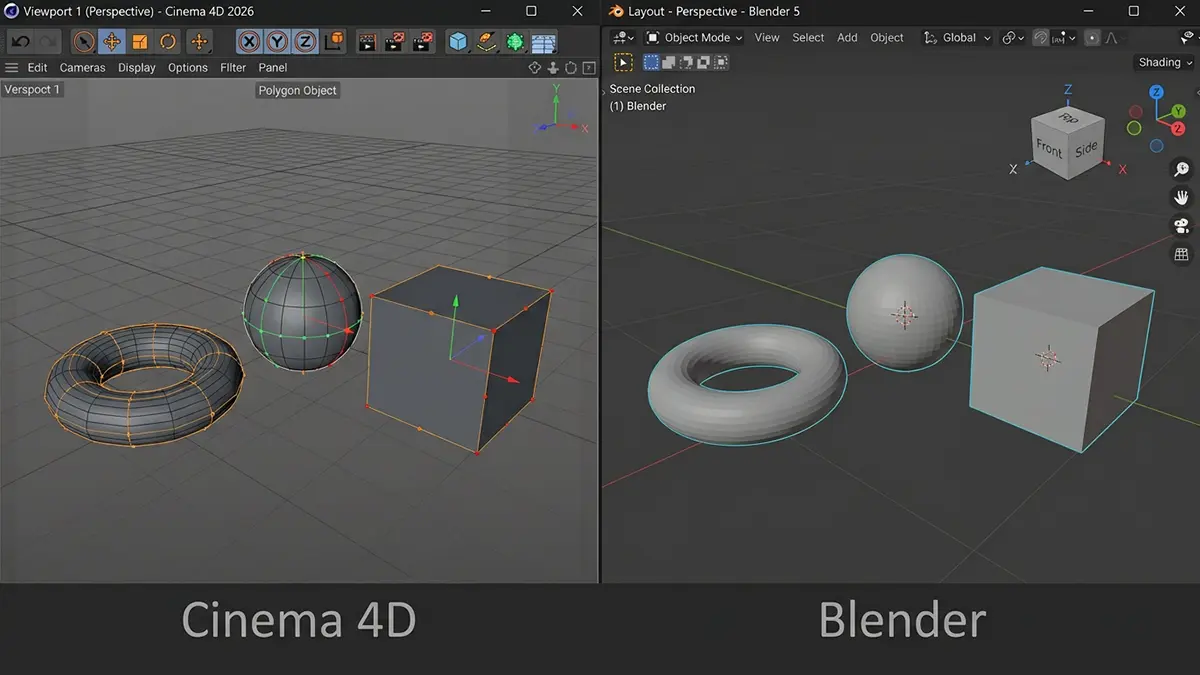
- Cinema 4D + Redshift: the motion studio standard. MoGraph cloners, a smooth link with After Effects, and in 2026 modern ACEScg color management. A paid subscription, but it’s the language most commercial projects speak.
- Blender: free and very powerful, even more mature with version 5. A perfect way into 3D and for personal projects, though it’s less common in studio motion pipelines.
My advice: start with Blender to understand 3D at zero cost, and move to Cinema 4D when you go commercial. It’s what I use for client 3D animation.
5. Figma Motion — animation right in the layout
The biggest news of the year: in June 2026 Figma got its own timeline. You can now animate an interface right where you designed it, with no export to other apps.
- Timeline and keyframes: position, scale, rotation and opacity animate separately, with easing and spring curves.
- Figma agent: describe the motion in words and it lays down the first keyframes for you to refine.
- Developer handoff: the animation is visible in Dev Mode and the code copies to CSS, JSON or React.
For micro-interactions, transitions and onboarding it’s now the fastest route. Complex UI animation with characters, 3D or illustration is still easier in After Effects.
6. New players worth watching
- Cavalry: procedural 2D animation, fully free for individual designers since April 2026. Strong wherever you need hundreds of similar elements, charts and data.
- Rive: interactive animation for websites, apps and games that reacts to the cursor and user actions.
- Premiere Pro or DaVinci Resolve: editing and final assembly of the video with sound.
Interactive and web animation is one of the fastest-growing parts of the market. If that direction interests you, see what Lottie animation looks like in practice.
7. AI: an assistant, not a replacement
In 2026 AI is already built into the tools we work in. It doesn’t animate for you, but it removes routine and speeds up finding ideas.
- Built-in assistants: in After Effects (still in beta) and the Figma agent handle routine actions from a text request.
- Adobe Firefly: backgrounds, textures and elements with a commercially safe license, which matters for brand work.
- Video generators (Veo, Runway): moodboards, rough animatics and concepts to show the client a direction before animating.
- ChatGPT, Claude and other assistants: write and explain expressions and simple scripts for After Effects.
- Masks and tracking: smart object selection in Premiere and After Effects saves hours of rotoscoping.
My rule:
AI makes the draft, a human makes the final. Clients pay for taste, timing and ownership of the result, and no generator provides that yet.
8. The order to learn it in
The tool isn’t the main thing
Software is just a set of brushes. Clients pay not for knowing the buttons but for the idea, timing and sense of motion. If you’re just starting, begin with the guide on how to become a motion designer from scratch, then pick tools for your goals.
And if you need animation rather than learning, check out my portfolio and get in touch.
Ready to bring your idea to life?
Tell me a bit about your task — I’ll come back with a format, rough timeline and a quote within one business day.
Get a quote